
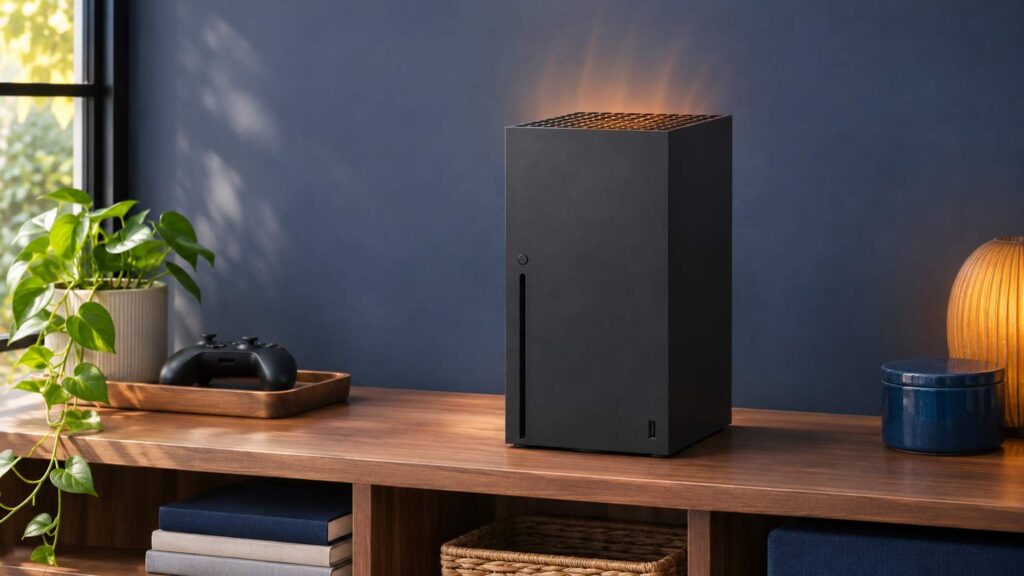
Xbox Series X overheating is mostly an airflow problem, and Microsoft’s pages give a plain order for it: turn the console off, wait at least one hour, move it somewhere well ventilated, and leave 4 to 6 inches on every side. If it still shuts down with the vents clear, the same pages say it needs service.
A hot exhaust, a loud fan, an on-screen warning and a shutdown mid-match are four different situations, and the support pages call for action on only the last two. Placement rules for the Series S are the same, since the pages cover both consoles. On the gaming PCs I’ve built, airflow is the first thing I look at, and the console’s official order starts in the same place.
Is it Xbox Series X overheating, or just warm?
A warm Series X is normal. The Series X|S FAQ says warm air from the exhaust ports means the system is working as intended, and the positioning page says a console may feel hot around the vents. Overheating shows up as the improper ventilation message or a shutdown.
Two checks take you about 30 seconds. First, look for a message saying the console is getting improper ventilation. Second, look at what sits on top of, under or right next to the console.
- Hot around the vents, games run fine. That’s normal. Measure the clearance in the placement section anyway.
- Fan louder than you remember, no message. Start with placement and dust. None of the pages give a fan-noise level, so there’s no number to compare against; what changed on the shelf or in the room is the thing to look at.
- An improper ventilation message. Go straight to the one-hour fix below.
- Shutdowns during play. Heat is one cause and the power supply is the other cause the pages name, so the shutdown section covers both.
What to do when the improper ventilation message appears
Turn the console off, wait at least one hour, move it to a well-ventilated spot, then turn it on. Those are the four steps on Microsoft’s page on consoles that turn off unexpectedly, written for a console that shows the message or feels hot to the touch.
“At least one hour” is the wording, so treat it as a floor. Use the time to clear everything off and away from the console, then set it where the top and all four sides are open.
Test the fix with the game and session length that triggered the message. If the console plays that session through in its new spot, it had an airflow problem. If you see the message again in the same spot, with the clutter gone, move on to the shutdown section.
Placement checks for a Series X that runs hot
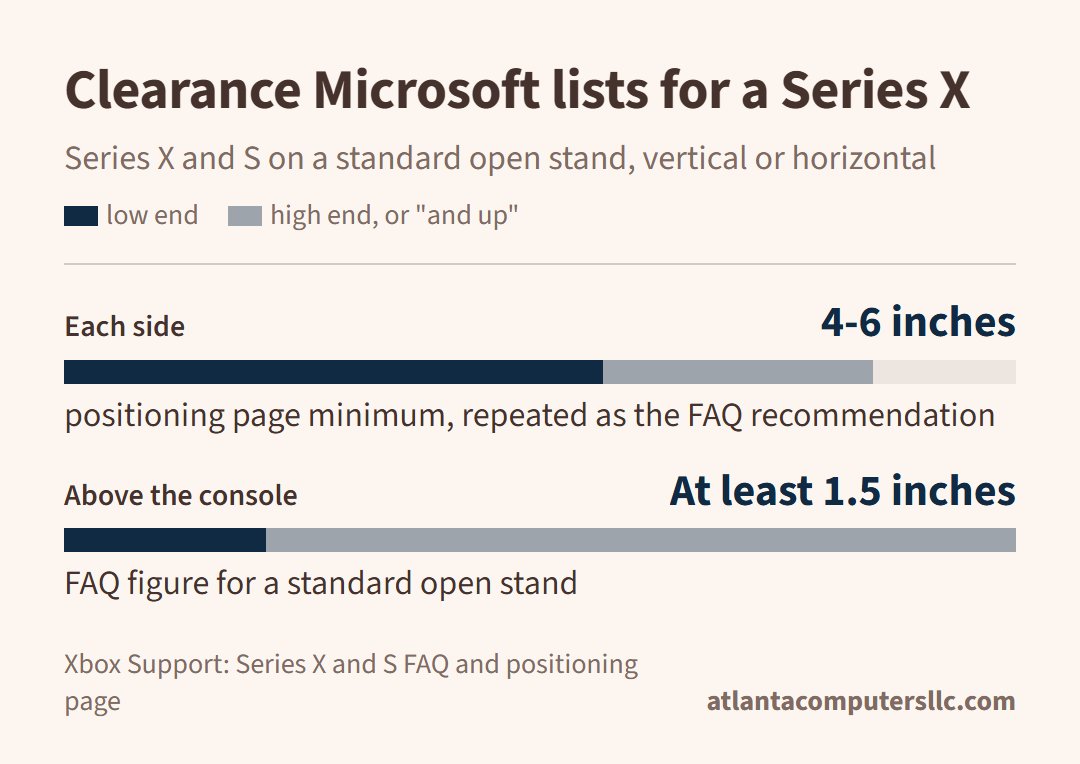
Two pages word the distances a little differently. On the positioning page, 4 to 6 inches on all sides is a minimum for the Series X and Series S. The FAQ recommends the same 4 to 6 inches (about 10 to 15 cm) and adds at least 1.5 inches (about 4 cm) above the console on a standard open stand, vertical or horizontal. If you can’t tell which one applies, give it the 4 to 6 inches.
A cabinet needs more care than a shelf. Enclosed cabinets are out. An unrestricted space such as a small cabinet is fine under the FAQ, as long as the console isn’t behind a closed door, so an open front is the rule.
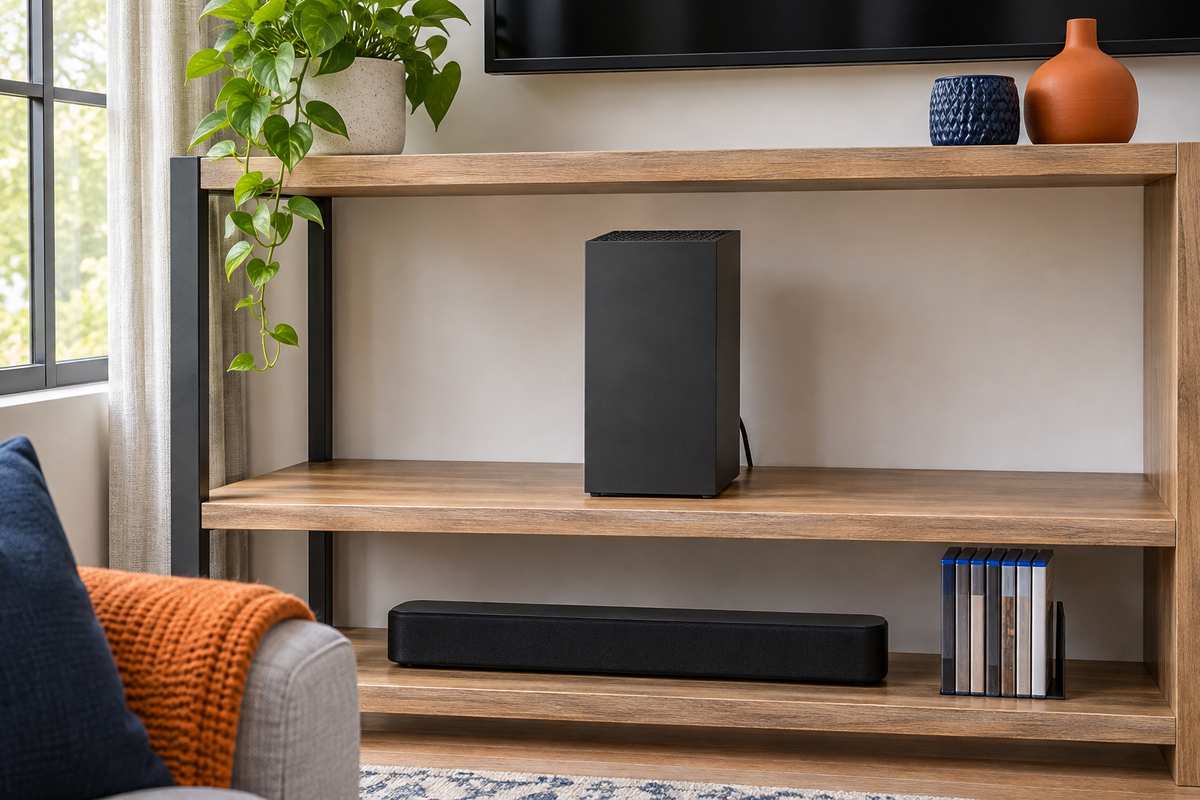
Everything else on the list comes from the same two pages and the ventilation tips on the first one:
- Nothing on top of, under or right next to the console. Even a disc case can limit ventilation.
- No speaker or subwoofer underneath it.
- No bed, sofa or other soft surface.
- No heat source nearby; the page names a radiator, heat register, stove and amplifier.
- No tight bookcase, rack or stereo cabinet unless the space is well ventilated.
Orientation is a free choice. A Series X can stand up or lie flat, and the FAQ names the top and back as the faces that carry the inlets and outlets, so keep those two clear in either position. One owner in an r/XboxSupport thread puts the same point in plainer words:
“Poor placement of the console itself, the grate on top needs to be completely clear of any obstruction and not in a confined space as it pushes hot air out the top”
– r/XboxSupport, October 2026 (4 upvotes)
That’s one owner’s account of which face does what. The FAQ only says the top and back carry the inlets and outlets.
Dust is the other half of airflow. Excessively dusty environments can reduce thermal performance, and the positioning page says to avoid them.
The care page for consoles covers the outside only. Power off, unplug, then wipe with a soft lint-free cloth dampened with mild soap and water, and never apply liquid straight to the console. Neither page gives a method for cleaning the vents or the inside.
Add-on cooling fans aren’t part of the placement advice. In the same r/XboxSupport thread, most replies tell the asker not to bother, because the console has its own fan and a fan on top changes the airflow. Those are owners’ opinions, not official guidance.
Why would a Series X shut off when it isn’t hot?
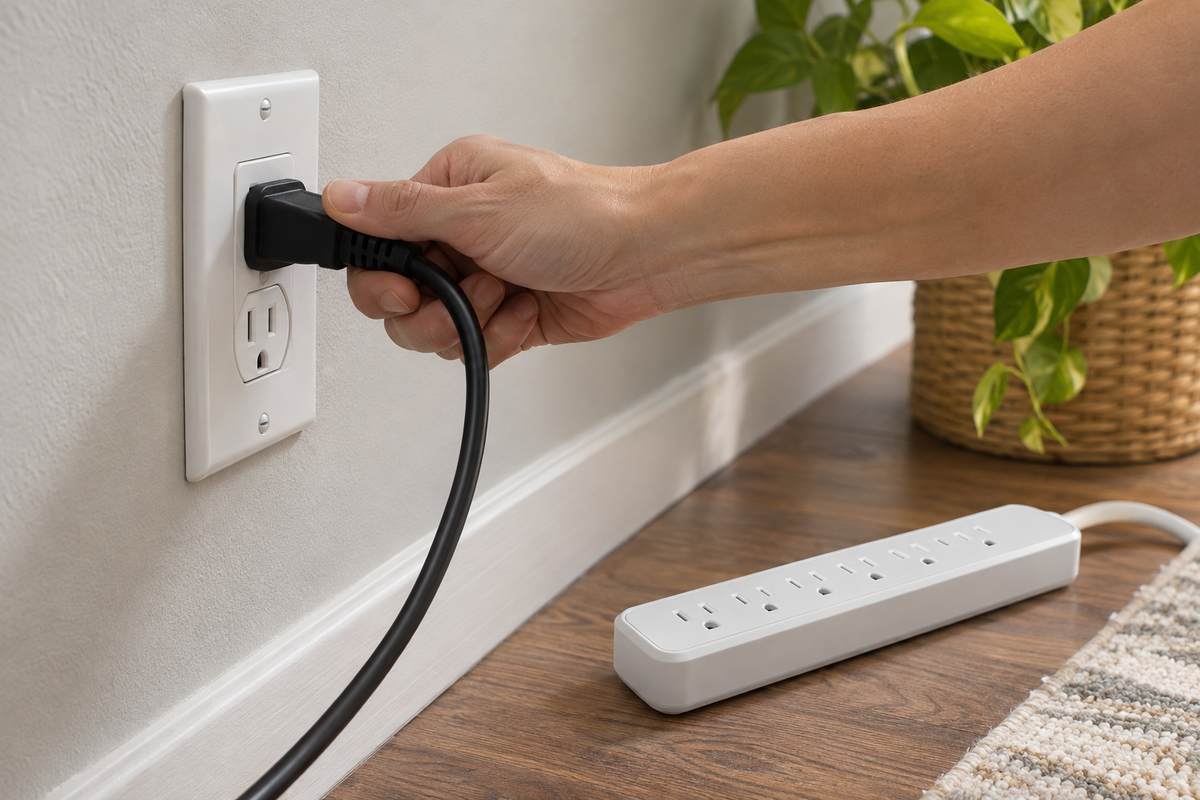
Two causes show up on the shutdown page: poor ventilation or the power supply. If the case feels cool and you saw no message, plug the power cord straight into a wall outlet, not a surge protector or extension cord, because the console needs the full voltage.
The Series X and Series S both have an internal power supply, so there’s no separate brick to swap. Work through the power steps first, then the two settings fixes, in the order the pages give them:
- Reset the internal power supply: unplug the power cord from the console, wait 10 seconds, plug it back in, then press the Xbox button on the front of the console.
- Try the wall outlet with another device you know works, push the cable in at both ends, and make sure it’s the cable that came with the console.
- Press the Xbox button on the controller, then go to Profile & system, Settings, General, Power options. Under Options, set Turn off after to Don’t turn off automatically.
- Last, reset the console to clear system corruption. Unplug any external hard drive first and leave it unplugged until you know whether the shutdowns stopped, since the page says corruption can spread to external storage.
The reset is the last stop before a repair request, so read the page titled “How to reset your Xbox console to factory defaults” in full before you begin. The power steps come from the page on a console that won’t turn on; the settings and reset steps come from the shutdown page.
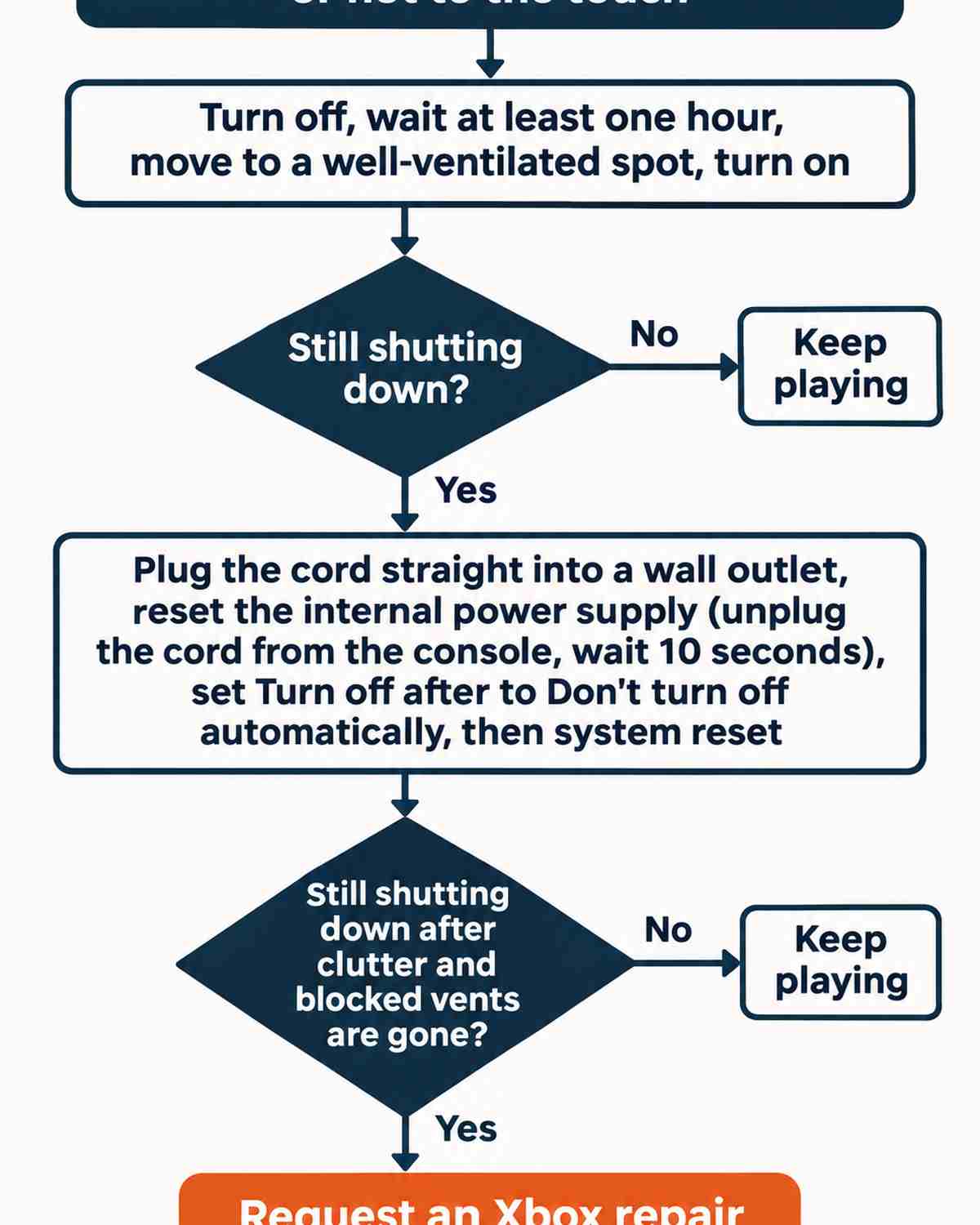
Stop here and request an Xbox repair
If the console keeps shutting down for ventilation reasons after the clutter is gone and no vent is blocked, it needs service. That’s the page’s wording, and it’s where the owner steps end.
Burned or melted plastic or components, other heat damage, or a case that has come apart for a reason other than a drop are also stop signs in Microsoft’s Series X service guide. Unplug the console and contact Microsoft rather than testing it again.
To request the repair, register the console, sign in to your Microsoft account, select Devices and choose the console. Its warranty status shows on the device page. Repairs inside the warranty are free. Outside it there’s a fee that depends on the model, and the support page keeps the current table. Average service time runs 14 to 21 days including shipping, so you should plan on being without it for weeks.
Microsoft also sells Series X replacement parts, a fan among them, for consoles that are out of warranty. Its page describes the work as moderate technical skill, says Xbox Support can’t help with a self-repair, and says damage you cause isn’t covered by the Limited Hardware Warranty. In the support pages, opening the console is a repair, not a cleaning step. Owners do it anyway, and one r/xbox commenter who opened a Series X to clean the fan warned others about this:
“I wanted to remove the main fan as well to clean it and when I tugged gently on the 4 pin connector I was afraid I’ll damage it, so I used a small plier to get a more even and secure grip while pulling it out and the plier slipped and I accidentally snipped off one of the 4 cables.”
– r/xbox, April 2026 (5 upvotes)
The service guide for the Series X lists electric shock, device damage, fire and personal injury among the risks of opening any device. If the console is a PlayStation instead, Sony’s version of this problem is in PS5 overheating.