

For mesh wifi vs extender, count your weak areas. One weak room in an otherwise fine home calls for a single extender. A weak signal across a floor, several rooms or more than one level calls for a mesh system. A cable to the far room beats both.
That rule only holds once you’ve proved the problem is coverage. If a speed test beside the router is already slow, no extender or mesh node will speed it up, and you’d be paying for hardware that can’t touch the real fault.
Mesh wifi vs extender: what each one actually does
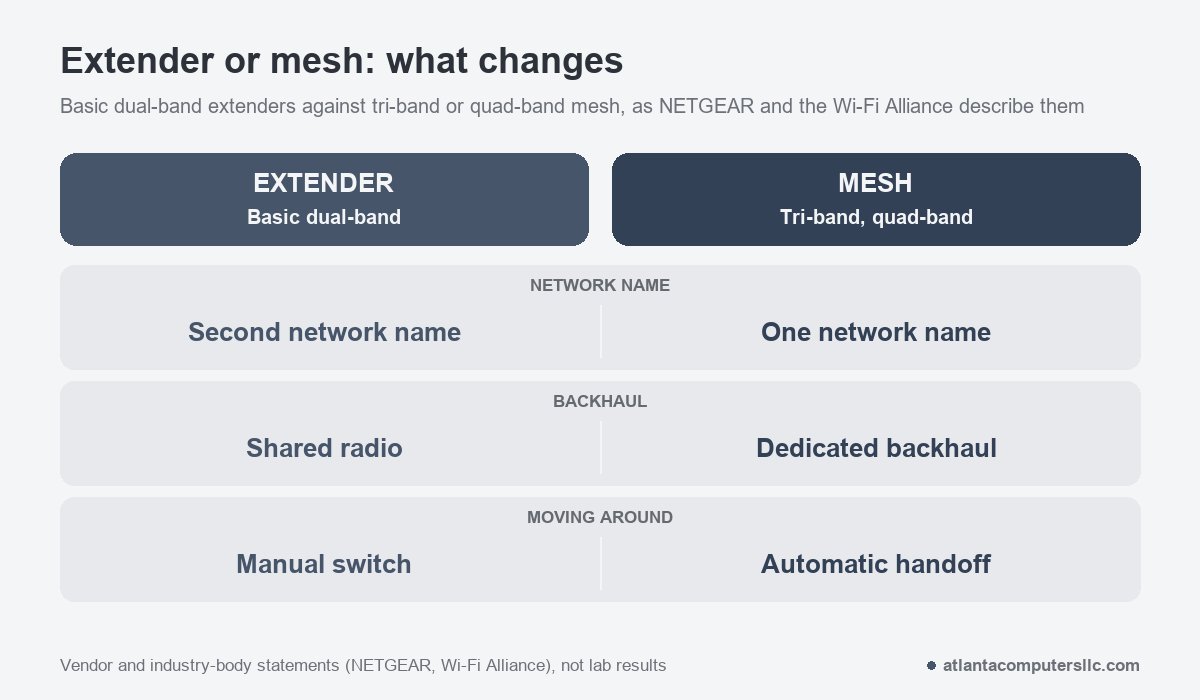
A range extender listens to your router and repeats what it hears. It usually broadcasts under a second network name, so your phone doesn’t move to it on its own. NETGEAR’s comparison page describes the result as a manual switch: you pick the extender’s network when you walk away from the router, and pick the router’s again when you come back.
The bigger cost is speed. On basic dual-band models, one channel does both jobs, receiving from the router and rebroadcasting to your device. That’s a shared radio, and NETGEAR says it may cut the available bandwidth by half. The Wi-Fi Alliance, the group that certifies Wi-Fi gear, puts the gap more broadly: extenders generally don’t reach the performance of multi-access-point systems. Both statements come from organizations with a stake in the market, not from a lab, so treat “half” as the worst case on basic hardware.
A mesh system is a set of nodes. One plugs into your modem or router with an Ethernet cable, per NETGEAR, and the others sit around the house. Every node shares one network name, and the system hands your phone to whichever node has the strongest signal. That’s automatic handoff. It’s the difference you’ll notice every day.
Tri-band and quad-band mesh designs set aside channels for node-to-node traffic, which NETGEAR calls a dedicated backhaul (backhaul is the link between a node and the one behind it). Check the spec sheet. A node placed where it gets a weak signal behaves like a badly placed extender, a point TP-Link makes on its own comparison page.
How do you know it is a coverage problem?
Run a speed test on one device beside the router, then run the same test in the weak room. Healthy first number, collapsing second number: it’s coverage. If the first number is already slow, suspect the router, modem or internet plan, because nothing downstream can repair that. To check whether the plan is big enough for everything your household runs at once, use the internet speed calculator.
- Use the same phone or laptop for both tests, and run each one a couple of times. One device takes the device itself out of the question.
- If you can, plug a laptop into the router with an Ethernet cable and test once more. That number is what your plan delivers, and Wi-Fi can’t beat it.
- Test beside the router, then in the weak room. A big drop means signal is dying on the way. Similar numbers with one device still struggling means look at that device, not the signal.
- Move the router before you buy anything. Get it out of the closet, off the floor and away from the back of the TV, then test again.
On my bench, a laptop goes onto a different network before anyone blames the signal. If it’s quick everywhere else, the Wi-Fi card is fine.
If the wired number at the router is far below your plan, stop here and read the last section before spending a dollar.
Which one fits your house?
One extender fits a small or medium home with one or two weak spots. Mesh fits homes where the weak signal spreads across a floor, several rooms or more than one level, and NETGEAR points to mesh once you’d need a second extender.
- One weak room, everything else fine. Buy one extender. Put it about halfway between the router and the weak room, where it still hears a strong signal. TP-Link warns against placing it inside the dead zone, since it would only repeat a weak signal faithfully.
- Weak rooms at opposite ends, or on different floors. Go mesh. Best Buy notes that several extenders can lead to congestion and reduced performance, and extenders scale poorly where mesh scales by adding nodes.
- Thick walls or several floors between the router and the problem area. Go mesh, and plan for a cable between nodes if you can (see the next section).
- You already own a mesh kit and one corner is weak. Add another node from the same system. A standalone extender can create a separate network name and undo the single-network setup, TP-Link says.
- Extenders cost less than mesh kits. Both NETGEAR and Best Buy say so. Cost only decides the matter when one weak room is all you have.
Does Ethernet backhaul change the answer?
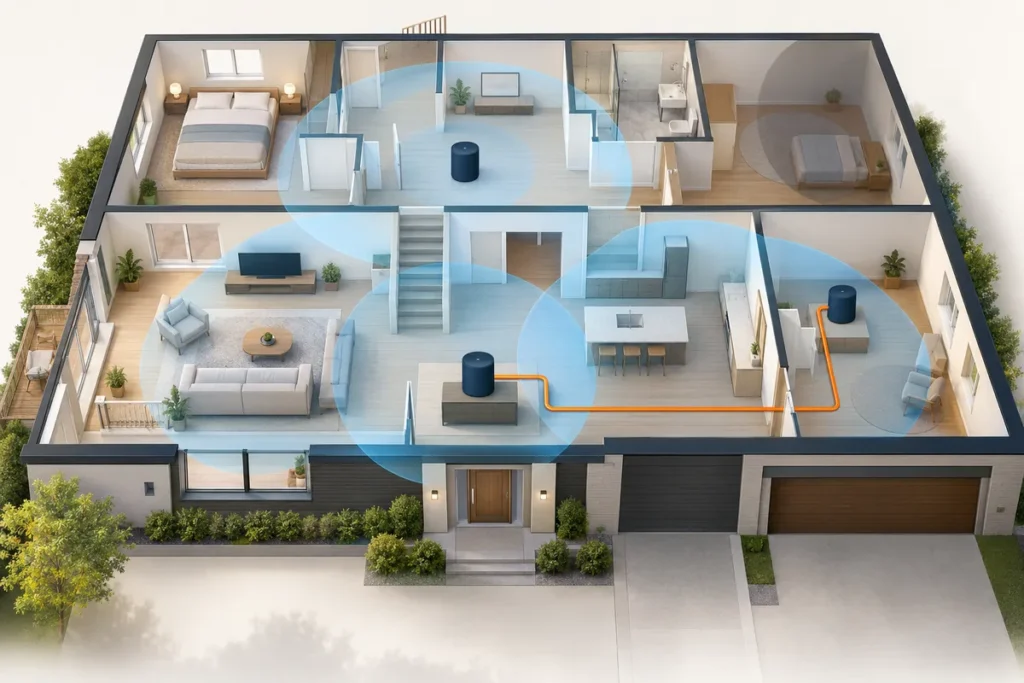
Yes. A wired link between the router and a satellite node removes the wireless hop, so the far node doesn’t spend radio time talking to the first one. If a cable can reach the far room, sort that out before you decide anything else.
The catch is support. TP-Link’s support page for its EasyMesh devices says both the main router and the satellite must support Ethernet backhaul, and that not every EasyMesh device does. Once the wired link is up, the wireless backhaul disconnects on its own. If the cable fails, the network falls back to wireless. A satellite that was set up before should be reset to factory settings first.
Other brands document their own versions of this, so check the spec sheet for “Ethernet backhaul” before you buy. Don’t assume the extra Ethernet port on a node does the job.
“If you have concrete walls, you will probably want to run the cable AND get a mesh system. The wired backhaul will give a faster. more stable connection for your devices.”
– r/wifi (5 upvotes)
Some extender models can connect to the router by Ethernet instead of Wi-Fi, NETGEAR notes. That drops the shared-radio cost, though you’ve already paid for the cable run by then.
What changes in a small office?
Calls and shared devices raise the stakes. Pick mesh or wired nodes over a lone extender, keep one network name across the space, and plug in everything that doesn’t move.
Walking from a front desk to a back room on a video call is the case automatic handoff was built for. With an extender’s second network name, the laptop can hang on to the weaker network until someone switches it by hand. NETGEAR lists interrupted calls and streaming when devices switch networks among the extender drawbacks.
Anything that sits in one place can take a cable: desktops, printers, the works. Each wired device is one less thing competing for the radio.
Plan for growth too. The Wi-Fi Alliance says proprietary multi-access-point systems leave a user locked in to a single vendor, and its EasyMesh certification exists so certified gear from different vendors can work together. If you expect to add nodes later, or to mix brands, look for EasyMesh in the specs.
When should you stop and call someone?
Call your internet provider if the wired speed at the router is far below your plan. Call a cabling installer if the cable run means opening walls or ceilings. Neither a mesh kit nor an extender fixes either problem.
If the router came from your provider, ask them to check it and the line before you buy anything. Stay out of attics. Don’t drill into walls on a guess. An installer does that work safely, and a cable run stays useful after the nodes are replaced.
Frequently asked questions
Can an extender be added to a mesh system?
It’s usually better to add another node. TP-Link says a standalone extender can create a separate network name and undermine the unified setup a mesh system provides.
Does mesh wifi vs extender change internet speed?
Neither one raises the speed your provider delivers. Both only change how much of that speed reaches the weak room, which is why the wired test at the router comes first.
Is Ethernet required to run a mesh system?
No. Nodes can link to each other wirelessly, and one node plugs into the router. A cable between nodes is an upgrade, and both ends have to support it.