
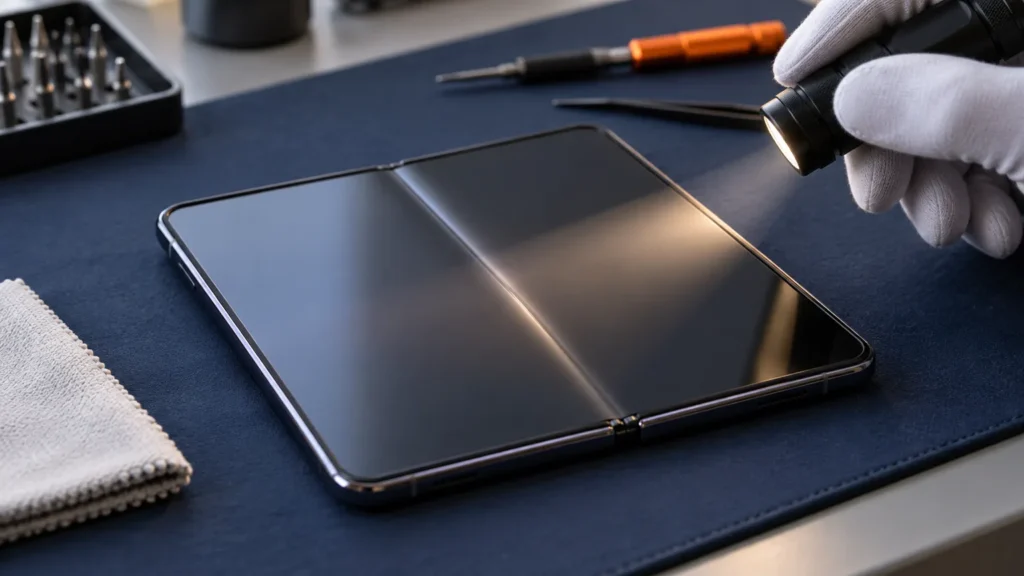
Every foldable has a crease, and the iPhone Duo crease is no exception. A shallow dip along the fold that you feel more than you see is normal. A glowing line, a patch of dead touch, a pop from the hinge or a visible crack is not.
Apple’s product FAQ answers the crease question with “wonderfully flat and smooth,” and MacRumors noted that the answer never says the crease is gone. iFixit’s teardown is blunter: no foldable has solved the problem, the Duo included. So the useful question is whether yours behaves like a crease.
Judge the screen by what it does. Apple publishes no depth limit for the fold, but it does publish lists of display and hinge symptoms for the Duo, and those lists are the line between a crease you live with and a phone you take in.
What a normal iPhone Duo crease looks like, and how it changes with use
A normal Duo crease is a shallow dip along the fold that a fingertip finds more easily than an eye does. Engadget’s hands-on and TechRadar’s reviewer both said so, and Notebookcheck added that it is almost invisible head-on but clear from some angles.
Angle is what changes the picture. iFixit explains that light bends as it crosses the crease, and that the nano-texture finish scatters those reflections. Look straight at the screen and the line fades. Let a window or a lamp catch it from the side and it shows. Reviewers split on how the Duo compares with the Galaxy Z Fold 8: 9to5Google thought the crease looked just as visible in hands-on video, while Notebookcheck rated the Duo slightly better.
The crease also changes with use. In one lab test, HTX Studio scanned a new Duo at 48 microns from peak to valley, folded it 3,000 times by machine, left it shut and scanned again at 167 microns. That matched one unnamed foldable and was worse than another, while an older foldable with a clear W-shaped crease measured 350 microns and was not part of the folding run (iThinkDifferent’s report of the video).

Tim Pan’s folding video, covered by Notebookcheck, found the crease visibly deeper after 500 manual folds but not very different under a finger.
Both are single units, not forecasts. Engadget’s point still holds that a hands-on shows only a crease that has not had time to develop, and MacRumors reports that Apple lists no fold count anywhere on its site. A deeper line on its own is expected wear. Some owners also report the line easing when the phone stays open:
“As a user of 7 foldables over the last 2 years, they do this when left open for a while.”
– r/iPhoneFold, October 2026 (100 upvotes)
That is owner experience, and none of the Apple pages used here mention it. It is a reason to hold back on judging a crease right after a day of heavy folding.
A lamp, a white screen and a fingertip: three steps at home
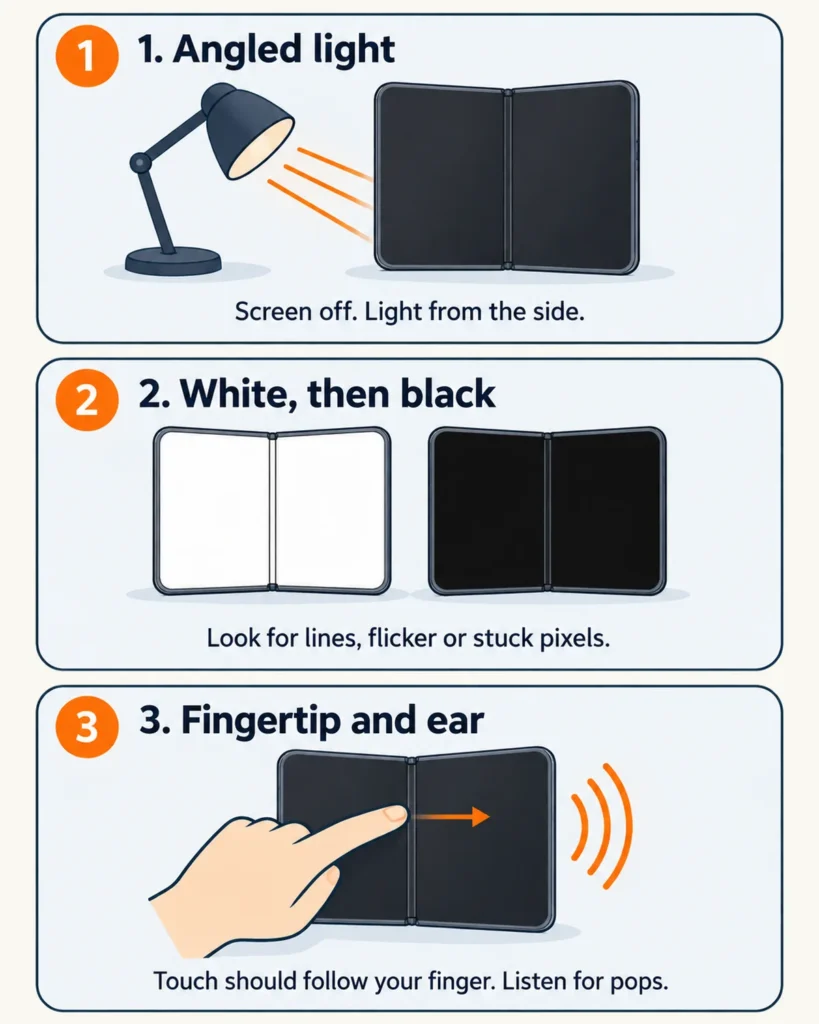
Three steps sort a crease from a fault: look along the fold under an angled light, fill the screen with white and then black, and drag a fingertip across the fold while you listen. Stop at the first step that fails and go to the booking section.
Start the way Apple’s display troubleshooting page does. Take the case off, unplug any cable and turn the phone off. Wipe the inner display with a soft, slightly damp, lint-free cloth, and skip compressed air and cleaning products, as Apple’s handling page says. For a nano-texture surface, Apple’s cleaning page names an Apple Polishing Cloth or a microfiber cloth made for electronic displays. Then switch the phone back on.
Step 1: Angle a light along the fold
With the Duo open flat on a table and the screen off, let a lamp or window light slide across the fold from the side. A normal crease shows as a bend in the reflection, the effect iFixit describes: light changes direction as it crosses the dip. Photograph it. A crease that looks the same next week is behaving. A line that changes shape, or breaks partway along the fold, belongs in the report you take to Apple.
Step 2: Fill the screen with white, then black
Turn the screen on at a middle brightness and open a blank white note. Then use a black wallpaper or a solid black photo. A bright row of pixels is easiest to see against black, and a dark band is easiest to see against white.
Apple’s Duo display page lists what to look for on either display: flickering, pixel anomalies, and horizontal or vertical lines. The crack reports match. iFixit relays owners describing a bright line across the display, and 9to5Mac a horizontal block of pixels stuck glowing white. Anything like that is a fault, whatever the fold looks like.
Step 3: Drag a fingertip across the fold and listen
Pull a fingertip across the fold slowly. Apple says to touch the screen with your finger pads, not your fingernails. A normal crease feels like a soft dip. Then draw a line across the fold in Notes, and scroll a long page over it. Apple’s list includes areas that respond slowly, erratically or not at all.
Open and close the phone slowly twice and listen. Apple’s hinge page lists an unexpected noise, a loose hinge, a hinge that will not open or close completely, and one that feels stiff or misaligned. In the reports MacRumors summarized, owners described a stuck feeling and sometimes a popping noise just before the damage appeared. If you feel resistance or hear a pop, stop folding it.
Crease or crack: what each one does
A crease is a smooth dip along the whole fold that leaves the picture and touch alone. A hardware fault starts at one point, sometimes with a stuck feeling or a pop, and shows up as a bright line, a block of stuck pixels or dead touch. Apple’s symptom lists mark the difference, not the depth of the line.
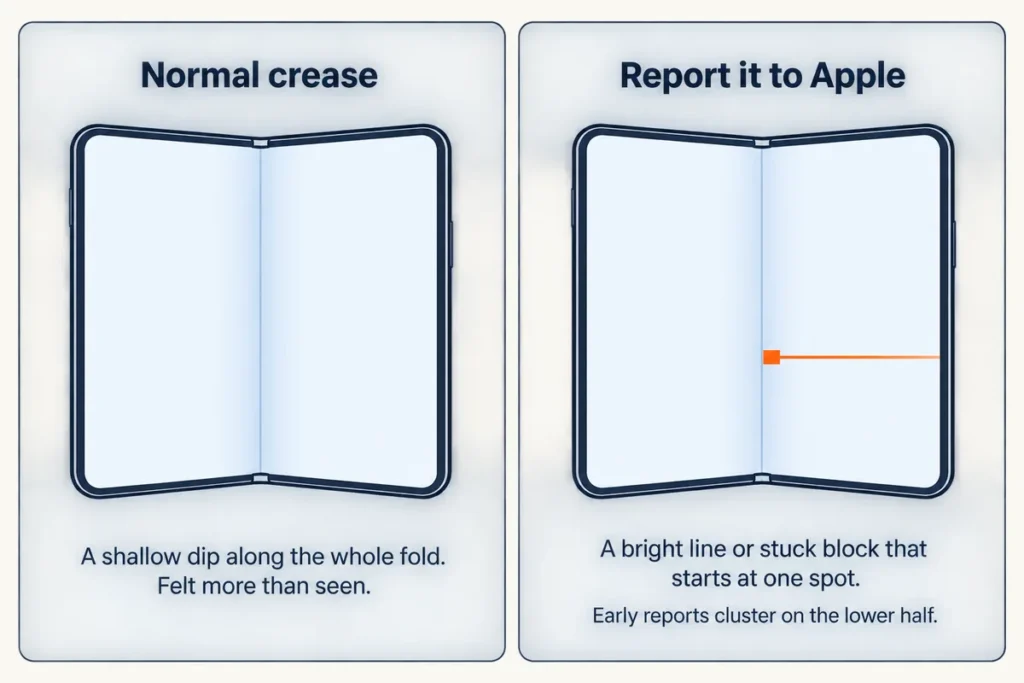
The crack reports so far are consistent. MacRumors says many of the affected Duos cracked in the same place on the lower half of the inner display, along the hinge. 9to5Mac describes a crack down the center line of the hinge, in some cases during first setup.
Apple told MacRumors that a small number of units are affected and that anyone with an inner display issue should contact AppleCare for a replacement. MacRumors also understands that some images of alleged cracking are AI-generated, so a viral photo says little about your phone.
| What you notice | Verdict | Where it comes from |
|---|---|---|
| A shallow dip you feel more than see, strongest in angled light | Normal crease | Engadget, TechRadar, Notebookcheck, iFixit |
| The same dip, slightly deeper after weeks of folding | Expected wear | HTX Studio test, Tim Pan’s video |
| A line, flicker or stuck block of pixels on white or black | Fault, book Apple | Apple’s display troubleshooting list, 9to5Mac, iFixit |
| Touch that skips or dies in one area, especially at the fold | Fault, book Apple | Apple’s display troubleshooting list |
| A pop, a stuck spot, or a loose or grinding hinge | Stop folding, book Apple | Apple’s hinge troubleshooting list, MacRumors |
| A visible crack or split along the hinge line | Crack, book Apple | 9to5Mac, MacRumors |
| Bubbles or a lifting edge in the top layer | Leave it alone, ask Apple | Apple’s handling page and cover layer manual |
| A small raised bump at the fold | Unsettled, ask Apple | No source rules either way |
The bump row is the honest gap. Owners in r/iPhoneDuo and r/iphone are posting photos of a small raised spot at the fold and asking whether it is an early sign of a crack. None of the Apple pages, the iFixit teardown or the news reports used here says a bump is harmless or says it leads to a crack. If you can feel one, photograph it in angled light and let Apple look.
The bubble row is a reading of Apple’s own documents. Apple’s manual treats the cover layer as a separate part and includes a step to avoid air bubbles near the hinge, but no owner advice for a bubble in the field appears in it. Pressing it down yourself is a guess.
Protecting the fold without peeling anything
Apple’s handling page for iPhone is specific about the inner display. The nano-texture cover layer is an integral part of the display, it protects the display from scratches and dents, and Apple says not to attempt to remove it. An external screen protector can compromise display performance, and Apple says to remove anything from the inner display before you close the phone.
That settles the question about the factory film. Whatever the top layer looks like, treat it as the screen. iFixit found that the Duo still works with the layer off, but the crease looks more visible and the surface underneath scratches more easily. Apple’s repair manual lists the cover layer as its own part, fitted with a purpose-built fixture, a roller and a squeegee. A spudger and a steady hand are not that procedure, and mine stay in the bag for this one.
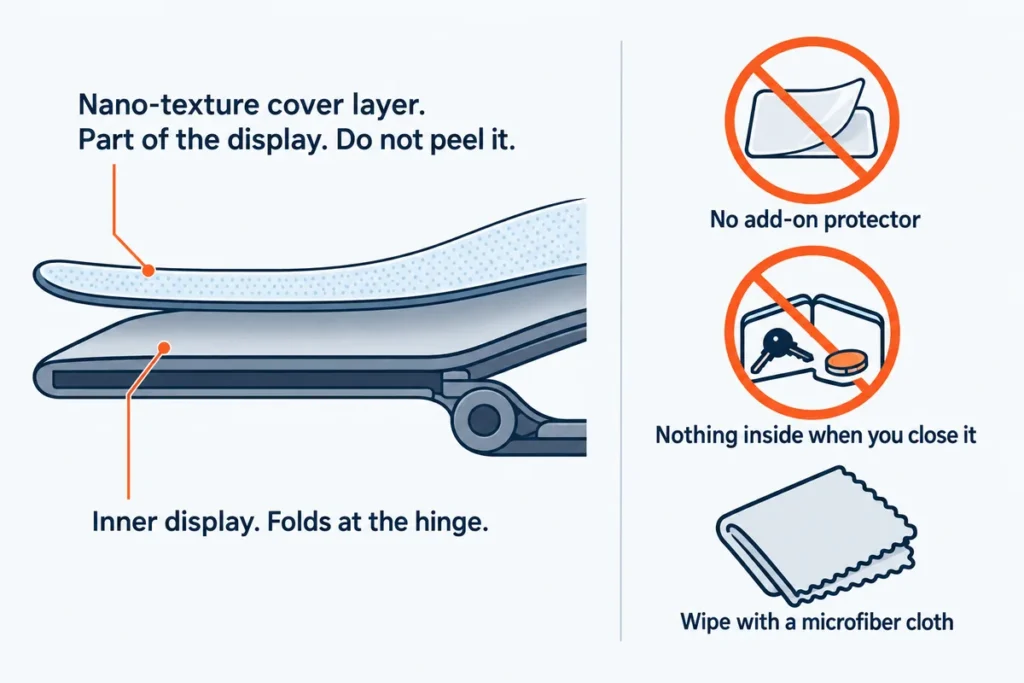
- Clear the inner screen before you close the phone. Apple warns that keys or coins folded inside can damage it.
- Do not stack an add-on protector over the cover layer.
- Wipe with a microfiber cloth made for displays, not a cleaning product.
- Look along the hinge now and then for grit. Apple’s hinge page has you check for particles and dust, and in iFixit’s fluorescent powder test the powder reached the hinge’s moving parts and made it crunch.
Some owners suggest closing the Duo without pressing on the center of the inner display, and 9to5Mac mentions the idea. The Apple pages used here cover objects, cleaning and the cover layer, and say nothing about pressure. One r/iPhoneDuo owner disputes the theory:
“Its not from pressure to the hinge, multiple people said it happened as they opened it, it’s likely a defective hinge and it takes only a few folds for it to break regardless of how you close it”
– r/iPhoneDuo, October 2026 (12 upvotes)
None of the sources used here shows closing technique as the cause. Close it the way you like, with nothing inside it.
When to book Apple, and what to do before you hand it over
Book Apple when any step shows a line, stuck pixels, dead touch, a pop, a stuck or loose hinge, or a bubble in the top layer. Apple told MacRumors that users with an inner display issue should contact AppleCare for a replacement. A shallow, even dip on its own is not on Apple’s symptom lists.
Before you go, photograph the problem and note when you first saw it. 9to5Mac reported one owner who was told a drop must have caused the damage, and a dated photo is easier to argue from than memory.
Then back up. Before I touch any repair that involves a drive, I back it up or image it first, and a phone deserves the same habit. Apple’s service-prep page starts with a backup and a check that iCloud has finished syncing.
If the inner display will not light at all, our iPhone black screen guide covers the restart steps. Replacement waits and carrier purchases are in the iPhone Duo problems guide.