
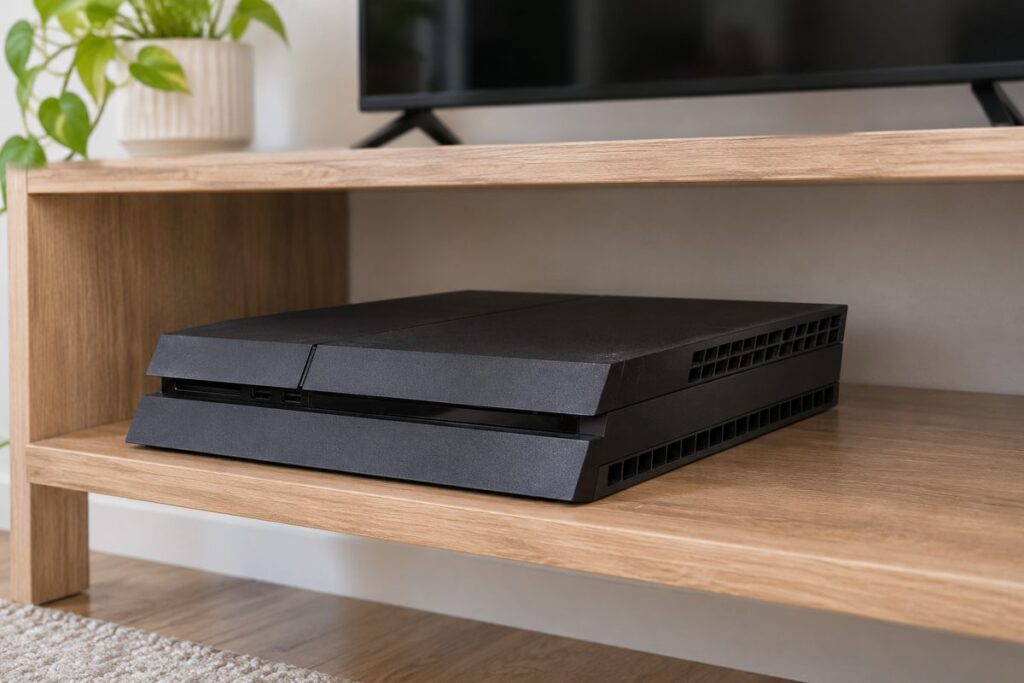
A loud fan and a warm case are normal for a PS4 under load; real PS4 overheating is the console’s own verdict, meaning an on-screen “PS4 is too hot” warning or a shutdown mid-game. Work the free fixes first: placement, a full power-down, then dust. Thermal paste and a repair shop come last.
We run the checks in that order on purpose. Each step below costs nothing until the advanced tier, and every one of them has a way to confirm it worked. If you are troubleshooting the newer console instead, the PS5 overheating guide covers that model.
PS4 overheating or just running hot
Sony built the console to call this itself. A PS4 that is actually overheating shows a “PS4 is too hot” warning or turns off on its own; a roaring fan and a warm case without that warning describe a machine doing its job, not a dying one.
Under a heavy game the fan will run at full speed and the case will get warm. That scares owners into needless teardowns, and one upvoted r/PS4 thread makes the same point:
“The PS4 pro, under load, could exceed 85 degrees celsius, and this wouldn’t be considered overheating, the console was designed to run this hot. Other consoles could reach these temperatures but they would be considered as overheating.”
— r/PS4, September 2026 (955 upvotes)
That figure is one owner’s report, not a Sony spec, so we do not use it as a temperature limit. What it gets right is the shape of the problem: consoles are designed to run hot, and temperature alone is not the failure.
What does point at a fault is repetition. The warning coming back, the console shutting down in the same game, or a machine that will not stay on for five minutes after cleaning is a different story. Those are the signs of a PS4 that cannot shed heat, whatever its fan is doing.
Free PS4 overheating fixes in the order we run them
Start with the checks that cost nothing and explain most warnings. Move the console into open air, power it fully off to cool, then deal with dust before anyone reaches for a screwdriver.
- Move the PS4 out of any cabinet and off the carpet. Set it on a hard surface with clear space on every side so the vents can breathe; hot exhaust pooling in a closed shelf is the most common placement fault we see.
- Power it fully off, not into rest mode. Sony’s PS4 User’s Guide says rest mode keeps the system operating at lower power, so a real cool-down needs the console completely off. Unplug the AC cord only after the power indicator is fully dark; Sony warns that pulling it while the light is on or blinking can lose or corrupt data.
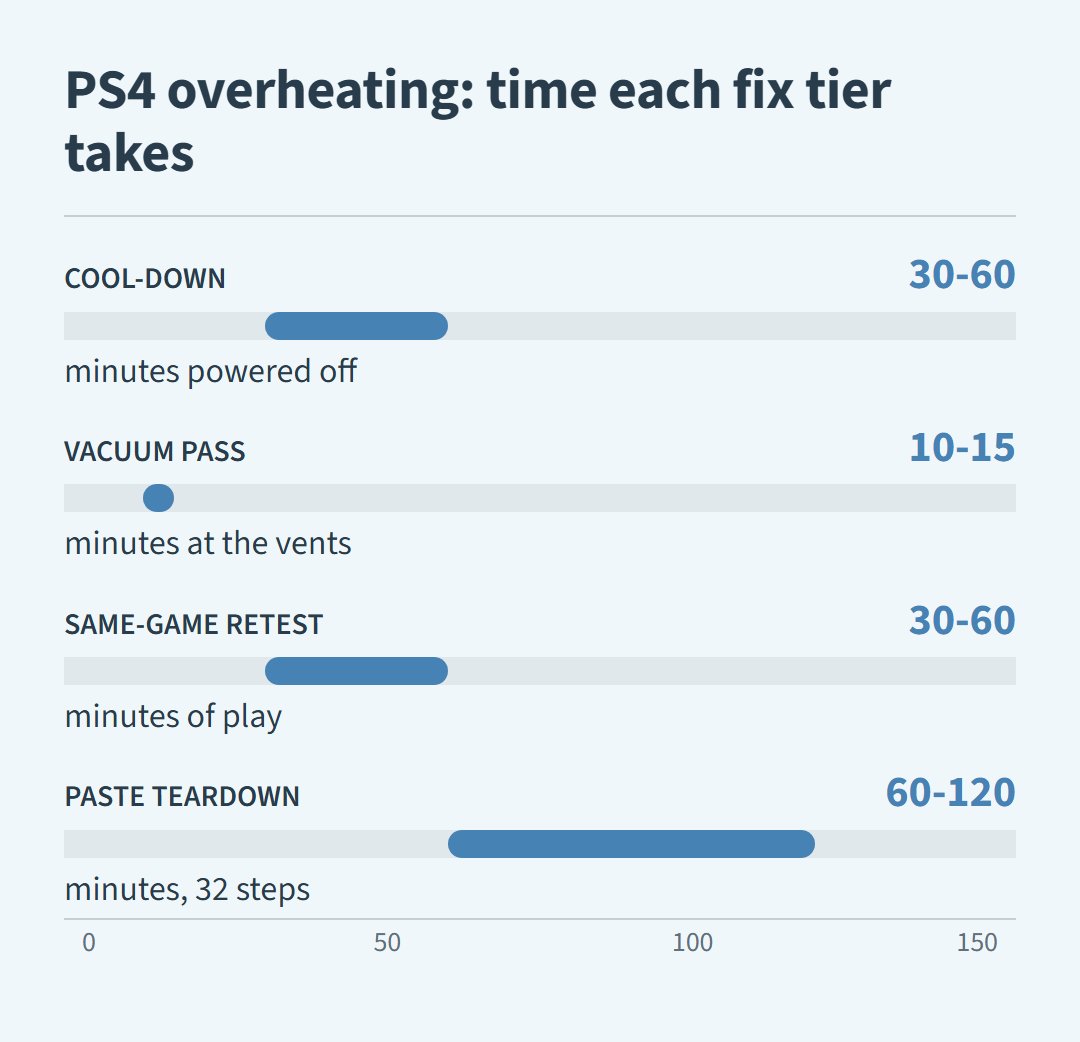
- Let it sit. We give an overheated console at least half an hour powered down before touching it again; some guides suggest up to an hour, and a long session in a hot room can justify the wait.
- Move it out of direct sunlight and away from heaters or the back of a warm TV. Ambient heat raises the baseline the console starts from, and on a marginal machine that difference can trigger the warning.
Then verify. Put the console back in place and play the game that triggered the warning for a real session; half an hour of the same play tells you more than five minutes on the dashboard. No warning after a similar session means the placement or heat soak was the problem, and nothing else needs fixing.
The dust question: vacuum out or blow in
Dust packed into the heatsink and vents is the most common maintenance cause of a PS4 overheating warning. Pull dust out through the vents with a vacuum; do not blast compressed air into a closed console.
Owners argue about this constantly, and the counterpoint is worth hearing:
“Compressed air just pushes dust deeper.”
— r/playstation (8 upvotes)
That is an owner’s opinion, not a lab result, but it matches what we see on the bench: air blown into a closed case moves the dust blanket without removing it. With the console off and unplugged, run a vacuum crevice tool over the rear and side vents and pull the dust toward you; a slow pass at the vents takes roughly ten minutes. If canned air is all you have, use short bursts from outside only, and treat opening the case as the advanced tier below.
When cleaning is not enough
A PS4 that still warns or shuts down minutes into a game, clean and sitting in open air, is past the free fixes. The next tier is thermal paste and possibly a fan, and that is where DIY ends for most owners.
Fresh thermal paste between the processor and its heatsink is the classic fix for a console that overheats even after a thorough cleaning. It is also a real teardown: iFixit’s PS4 thermal paste guide documents the job at 32 steps, roughly one to two hours of careful disassembly. The warranty on any PS4 expired years ago, so the risk is not a voided stamp; the risk is a torn ribbon cable or a lost screw on a machine you still play.
Stop and take it to a shop if the fan never spins up at all, the console warns or dies within minutes while clean in open air, or the teardown feels past your comfort. A fan that does not run, dried-out paste and a bad sensor all read the same from the couch, and a technician can tell them apart on the bench.
PS4 overheating questions
Is it better to keep a PS4 vertical or horizontal?
Flat on a hard surface is the safe default. Sony made an official vertical stand for the PS4 lines that support one, so vertical is acceptable with the correct stand for the model; the wrong move is standing a console on a side that carries its vents.
How much does it cost to fix a PS4 that overheats?
Placement, a full power-down and a vacuum cleaning cost nothing. A thermal-paste job is a cheap part plus real labor, and shop rates vary by market; one guide reports a basic repair fee of around $100, which we would treat as a rough figure, not a quote.
How do I keep my PS4 cool?
Keep the console in open air on a hard surface, vacuum the vents every few months, and power it fully off between long sessions since rest mode keeps it running at lower power. Prevention is boring, and that is why it works.