
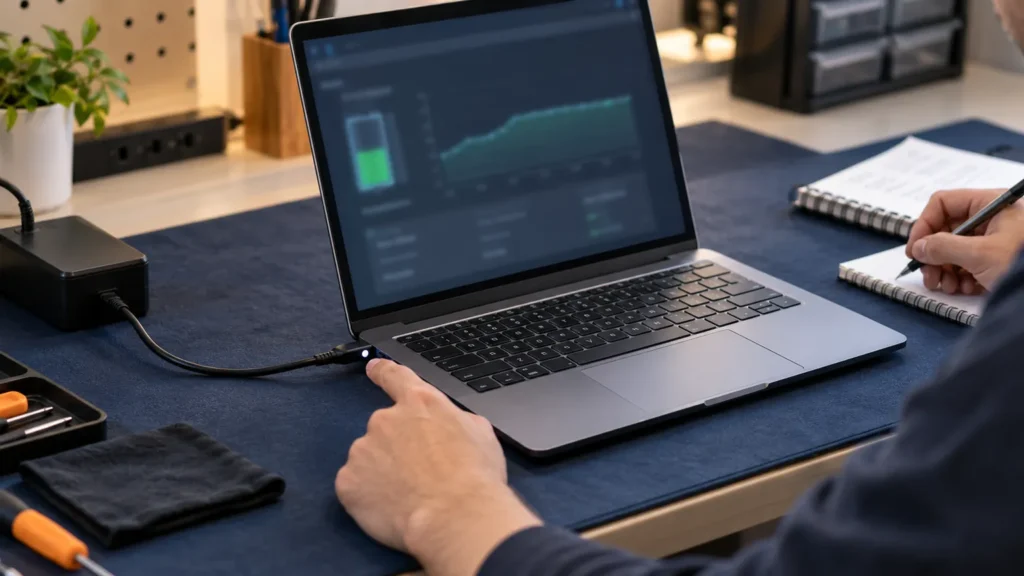
Replace a laptop battery when the maker’s own battery test says replace, or when the laptop shuts off with charge still showing and runs for a fraction of its old time. Test first, rule out the charger, and leave the case shut if the battery is swollen.
Laptop battery replacement is an easy swap on some machines and a job for the maker or a shop on others. Most of what crossed my bench was Dell, HP and Lenovo, and too often a new pack got bought before anyone had tested the old one. The order below avoids that.
Rule out the charger and the charge limit first
A tired adapter or a charge cap in settings can pass for a dying battery, and both cost less to rule out than a laptop battery replacement. Plug the original adapter straight into a wall outlet, not a dock or a power strip, and watch the charge indicator.
If the laptop won’t start, or only runs with the adapter attached, you’re chasing the power path instead of the pack. The brand pages for that are Dell laptop won’t turn on, HP laptop won’t turn on and Lenovo laptop won’t turn on.
Next, look for a charge limit. HP business notebooks have a BIOS setting called Battery Health Manager, and HP says its Let HP manage my battery charging option is the one that allows a full charge. Apple says a Mac’s menu bar can show charging as paused or on hold while optimized battery charging is doing its job. A pack that stops at a set percentage on purpose isn’t worn out.
What does point at the battery: run time that has collapsed, shutdowns while the meter still shows charge, and a failing result from the maker’s test. Dell’s own list of replace signs includes unexpected shutdowns with charge remaining and visible swelling.
Run the maker’s own battery test
Use the test from whoever built the laptop before you commit to a laptop battery replacement. Dell, HP, Lenovo and Apple each publish a result scale, with wording for the bad end of it, and that wording is what you’d read out to a warranty desk.
| The laptop in front of you | Where to run the test | Result that means replace |
|---|---|---|
| Dell | Press F2 at startup and look for Battery Health under Overview or General. Or press F12, pick Diagnostics, finish the test, then open Advanced Test, System Info and the Health tab. | Fair (consider replacing soon), Poor or Unknown (replacement recommended). Diagnostic code 2000-0132 means nearing end of life. |
| HP | Press Esc at startup, then F2. Choose Component Tests, Power, Battery, then Run once. HP says the test takes about two minutes. | Weak or Very Weak (life between charges is now significantly shorter), or Replace (needs replacing as soon as possible). |
| Lenovo ThinkPad | The Lenovo Vantage app runs an automatic battery diagnostic. This comes from the X1 Carbon Gen 13 guide, so check your model’s manual. | A result showing the battery is defective. Lenovo says to leave a built-in battery alone otherwise, unless it’s physically damaged or a safety issue. |
| MacBook | Apple menu, System Settings, Battery, Battery Health. On older Macs, hold Option and click the battery icon in the menu bar. | Service Recommended. On older Macs: Replace Soon, Replace Now or Service Battery. |
| Another Windows brand | The Windows battery report in the next section, plus the maker’s own support app if it has one. | Full charge capacity well under design capacity, or a replace verdict in the maker’s app. |
The startup key varies by model, and the maker’s manual for your exact laptop has the last word on it. My brand-by-brand startup key table is a quicker first check.
Read the scale before you trust it. On Dell’s battery health page, Good only means the pack charges normally but doesn’t last as long as it used to. Fair is the first rung that says to consider replacing. HP’s Calibrate result isn’t a replace result at all: the battery works and its charge gauge needs resetting.
Timing matters on HP. HP’s testing and calibration page warns that running Battery Check right after plugging in, or with the battery under 3% charged, can return a false failure. Charge fully, then test.
Dell’s on-board diagnostic adds codes. 2000-0132 means the battery is nearing end of life. 2000-0133 means insufficient power, and there Dell says to charge with the original adapter and reseat the battery before you consider replacing it. On a Mac, Apple says third-party battery apps may be inaccurate, so trust the reading macOS gives, and that you can safely keep using the Mac at Service Recommended.
I run the maker’s test before I pick up a screwdriver. A result from the maker also settles the warranty question: HP’s results table tells owners inside the warranty period to contact HP support to verify whether the battery is covered.
No maker tool? Use the Windows battery report
Windows can write its own report. Open Command Prompt, run powercfg /batteryreport, and open the HTML file it creates in a browser. Microsoft documents the option as a report of battery usage characteristics over the lifetime of the system, saved in the current folder. Dell’s example path is C:\Users\your-account\battery-report.html.
In the installed battery section, two numbers matter. Dell defines design capacity as the most charge a new battery can store, and full charge capacity as what the battery can hold now. Divide the second by the first.
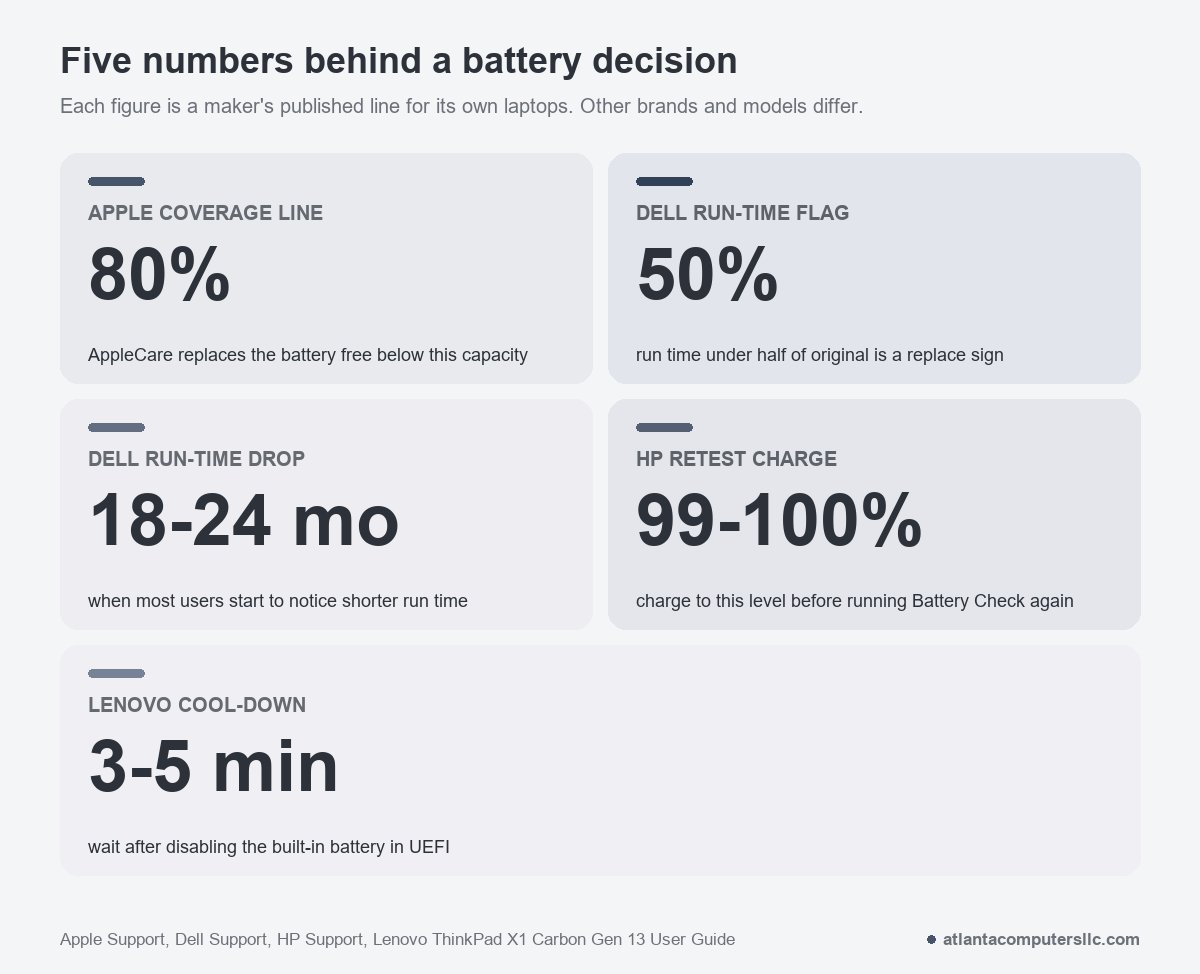
Microsoft’s powercfg documentation gives no percentage at which to replace, and Dell’s page doesn’t either. Apple does give a line: a normal Mac battery is designed to retain up to 80% of its original capacity at its maximum cycle count, and with AppleCare, Apple replaces a battery that holds less than 80%. I borrow that 80% as a rough line for Windows laptops and weigh it against how the machine behaves. That’s my rule of thumb, not a spec from any Windows maker.
Age gives a second clue. Dell says many users notice shorter run time after 18 to 24 months, and heavy users sooner. Run time under 50% of the original is on Dell’s list of replace signs. The battery life calculator turns the report numbers into hours and shows what a new pack would give back.
Doing laptop battery replacement yourself: removable, internal or built-in
You can swap a battery yourself when it’s a removable pack or an internal battery the maker lists as customer-replaceable. A battery glued in place, or a MacBook’s built-in pack, belongs with the maker or a repair shop.
- Removable pack. A sliding latch or locking clips release it from outside the case. Apple notes that some older Mac laptops have removable batteries, and for those it points owners to an Apple Authorized Service Provider or Apple Store.
- Internal, behind the bottom cover. This takes a small screwdriver set and sometimes a plastic pry tool. Dell’s battery shop page adds that some makers recommend professional installation, especially when the battery is glued in place or other parts have to come out first.
- ThinkPad built-in battery. Lenovo’s X1 Carbon Gen 13 guide lists it as a customer-replaceable part on selected models, with its own steps: turn off Fast Startup, then disable the battery in UEFI. The same guide says not to replace it unless the Vantage test shows it defective, with an exception for physical damage or a safety concern.
- MacBook. Apple says Mac laptops with built-in batteries should be serviced by an Apple Authorized Service Provider, an Apple Store, or an Independent Repair Provider using genuine parts. Repairs by untrained people or with non-genuine parts can cause damage the warranty won’t cover. Self Service Repair exists for certain models from 2020 on, in some countries.
If the model’s service manual doesn’t show the battery as a part you can replace, I treat it as a shop job. Lenovo adds a warranty reason: a battery other than the one it specifies, or one that’s been disassembled or modified, may not be covered.
Part, warranty and cost: what to check before you order
Start with the exact model name and number. Dell’s battery shop page says it can sit on a label under the laptop, inside the battery compartment on older designs, or in System Information. HP’s route is HP Support Assistant, where the My Dashboard tab shows the product number. At the HP Parts Store you enter that number without its suffix, so DZ357U#ABA becomes DZ357U.
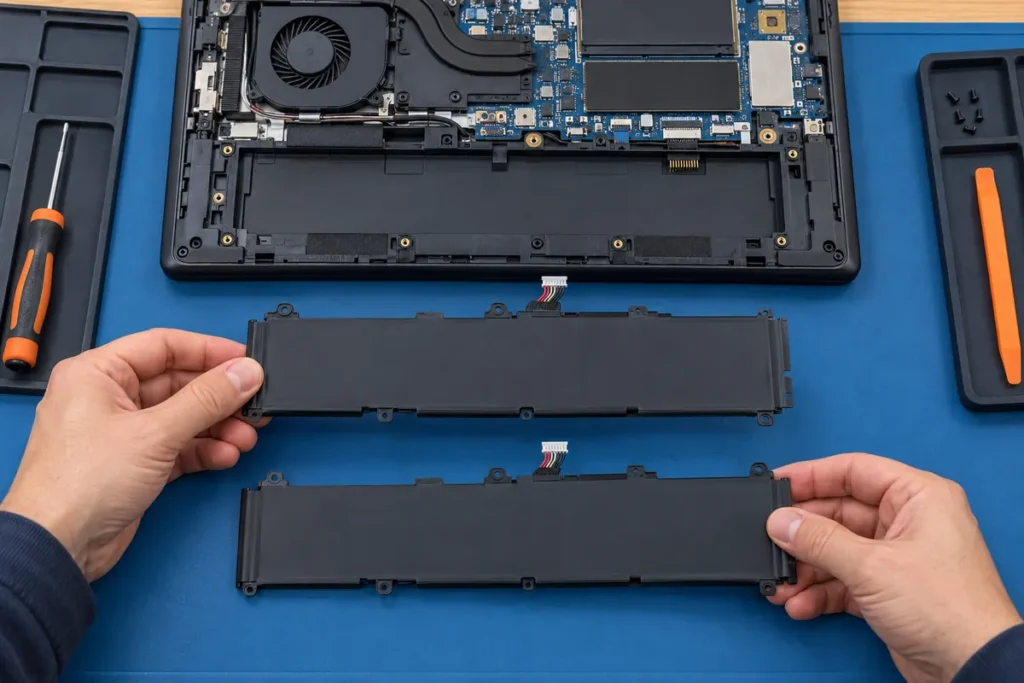
Then compare the old pack’s part number, voltage and capacity with the listing. Dell’s page warns that a higher capacity isn’t automatically compatible if the connector, physical design or charging circuitry differs, so a bigger number on the box isn’t an upgrade by itself. If one listing gives capacity in mAh and the other in Wh, the mAh to Wh calculator puts them on the same scale.
The makers all point to their own packs. Dell says to buy a compatible battery from Dell, and Lenovo says to use only the battery it specifies and warns that any other battery could ignite or explode. HP’s replacement page sends owners to the HP Parts Store for genuine parts, and Apple says genuine parts. If you step outside the maker’s part, the floor is an identical part number, the same voltage and the same connector, and you carry the warranty risk yourself.
There’s no price list for laptop battery replacement here, because figures move by model and region. What decides the bill is short. First, whether the laptop is still under warranty: Apple’s one-year warranty covers a defective battery, and AppleCare replaces one that holds under 80%. Second, whether the part comes from the maker or elsewhere. Third, whether you or a shop does the install. The maker’s parts store shows the current price for your exact model, where it sells direct. Dell says that’s select locations, and HP says some countries and regions aren’t supported.
The swap, in the order I’d do it
- Save the test result. HP says to write down the battery status and any Failure ID in case you contact support.
- Turn the laptop off completely and unplug the adapter and every cable. Lenovo’s guide puts it in those words, and Dell’s page gives the same advice for a user-replaceable battery.
- If the maker offers a way to disable the battery, use it. On the ThinkPad guide I read, that means turning off Fast Startup in Windows, then F1 at the logo screen, Config, Power, Disable Built-in Battery, and Yes. The laptop shuts itself off, and Lenovo says to wait three to five minutes before you start.
- Remove the bottom cover as the model’s service instructions show. Keep the screws sorted, since Dell notes they can differ in length, and touch a grounded metal object before handling internal parts.
- Disconnect the battery cable at its connector or tabs, never by pulling the wires.
- Lift the old pack out and check the empty compartment for foreign or sharp objects before the new pack goes in. Lenovo’s guide asks for exactly that check.
- Seat the new pack without forcing it, reconnect the cable, refit the cover and look along the edges for a pinched cable before you power on.
I keep a spudger set and a precision screwdriver kit for this, and the spudger only ever touches the cover seam. Dell’s handling guide says not to use tools to pry on or against a battery. If a pack is glued down and won’t lift with finger pressure, stop there and hand it over.
On a ThinkPad where UEFI won’t open, Lenovo’s fallback depends on the connector. Cables to the system board mean disconnecting the cables. A customer-replaceable battery on comb connectors means removing the battery. A battery that isn’t customer-replaceable on comb connectors is a call to Lenovo.
Swollen, hot or stuck: stop here
A swollen battery is a hard stop. Dell’s battery shop page lists a lifted trackpad, a bulging bottom panel, unusual heat, a chemical smell or hissing as signs of a damaged pack.
Stop using the laptop and unplug the adapter, as HP advises for swelling. Don’t press on the pack, bend it, pry at it or puncture it, and if it’s stuck in the case from swelling, don’t try to free it. Dell’s handling guide says all of that, and adds that a swollen battery shouldn’t go back into a notebook.
Take it to a repair shop, the maker or a battery recycler. Dell says swollen batteries go back to Dell in an approved container or to an approved recycling center. Lenovo says a battery doesn’t belong in landfill trash.
The same hand-off applies when you can’t reach the battery connector, when the pack is glued and won’t lift, or when the test points to the pack but the manual doesn’t list it as customer-replaceable.
After the swap: prove it worked
A laptop battery replacement isn’t done until a second test passes. Charge the new pack to 99% to 100% first. HP says testing before it’s full can give a false battery failure, so the retest comes after a full charge.
Run the maker’s test again. On Windows, run another powercfg /batteryreport and compare full charge capacity with design capacity. A new pack should read close to its design capacity, and a number far below it points to the wrong part or a bad one, which is a return.
If the laptop says no battery is installed, reseat the pack and look at the contacts. Dell’s code 2000-0131 means battery not installed, with the same advice to reseat it and check for debris or damage.
A percentage that jumps, or won’t show 100%, is a gauge problem and not a capacity problem. HP says calibrating resets the gauge so Windows shows the charge level accurately, and its Battery Check will report Calibrate when it’s needed. Dell lists calibration among its battery tips: charge fully, then use the laptop until it drains before charging fully again.
What about the 40-80 rule?
No maker page I read publishes a 40-80 charging rule. Dell suggests using the laptop on battery now and then, and charging to around 50% before long storage. Lenovo gives room temperature and about 30 to 50% for stored batteries. Apple’s page describes optimized battery charging as a feature that helps prolong the overall life of the battery.
The old pack goes to a recycler, or stays with the shop that fitted the new one. Lenovo’s guide says to follow local ordinances or regulations when disposing of a battery.